 Your local job search

Integrations > Voyager Infinity set up
Voyager Infinity
CV-Library and Voyager Infinity have integrated to allow users instant access to millions of fresh, quality CVs on CV-Library's database.
 Integrated with


New to CV-Library
Follow these simple instructions to access over 16 million candidates from every sector across the UK in CV-Library's database, via your Voyager Infinity account.
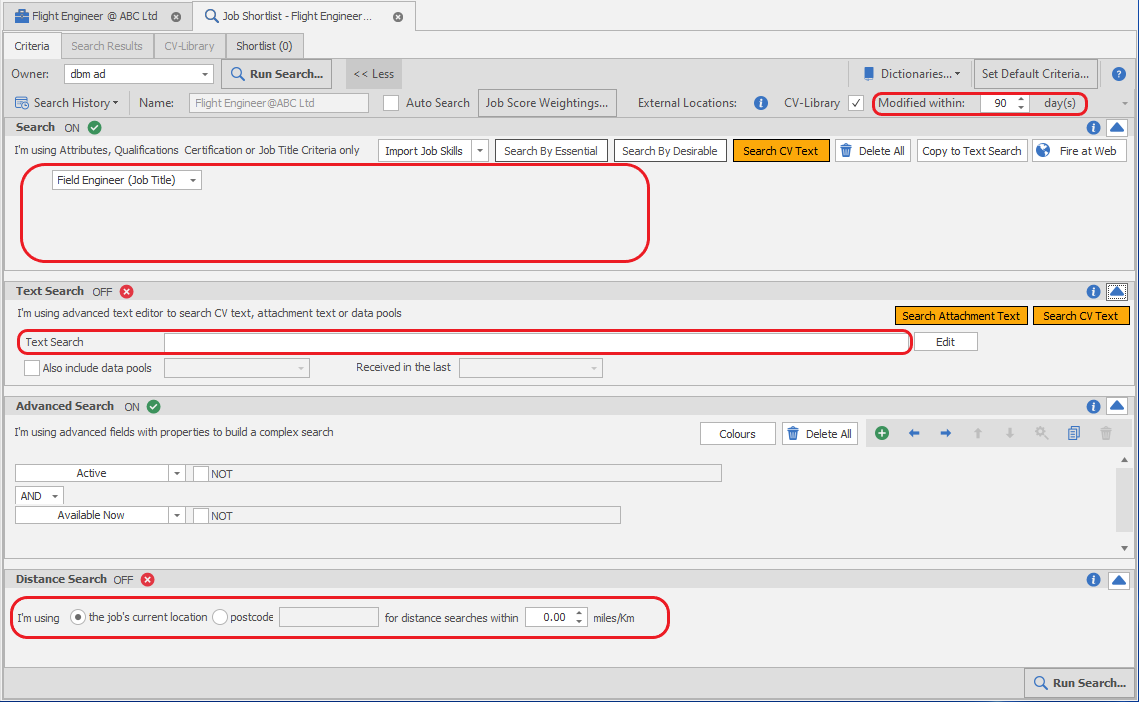
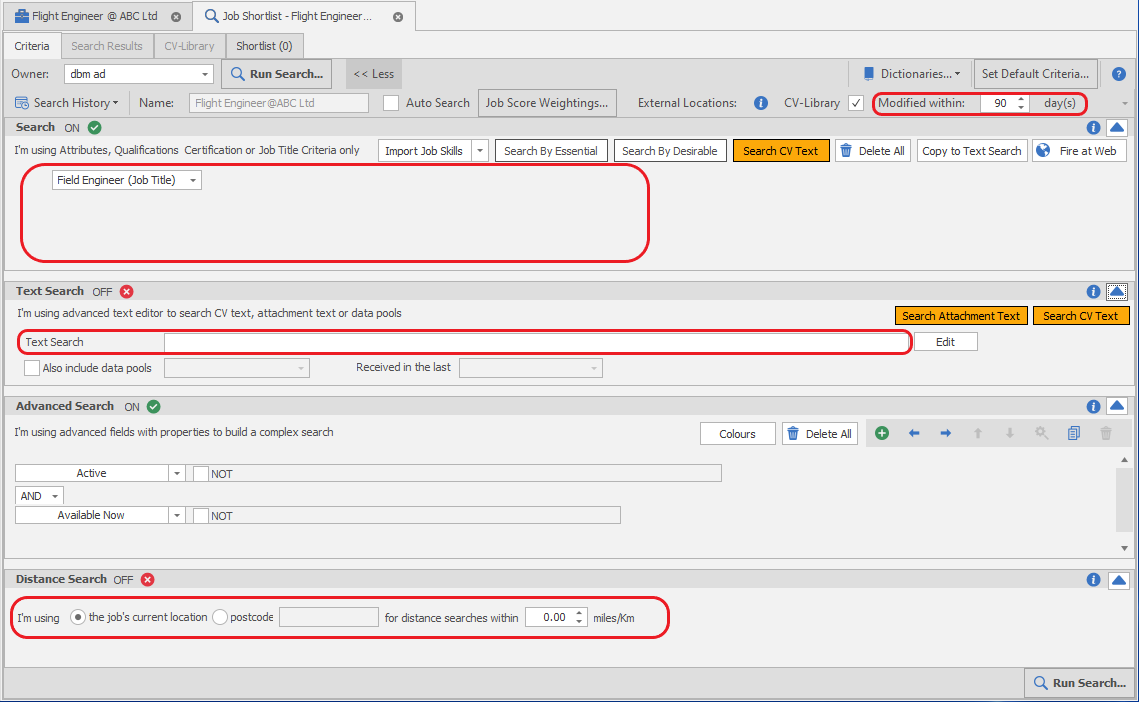
Login to Voyager Infinity and run a candidate search as normal. CV-Library CVs will automatically be pulled through in your search results.
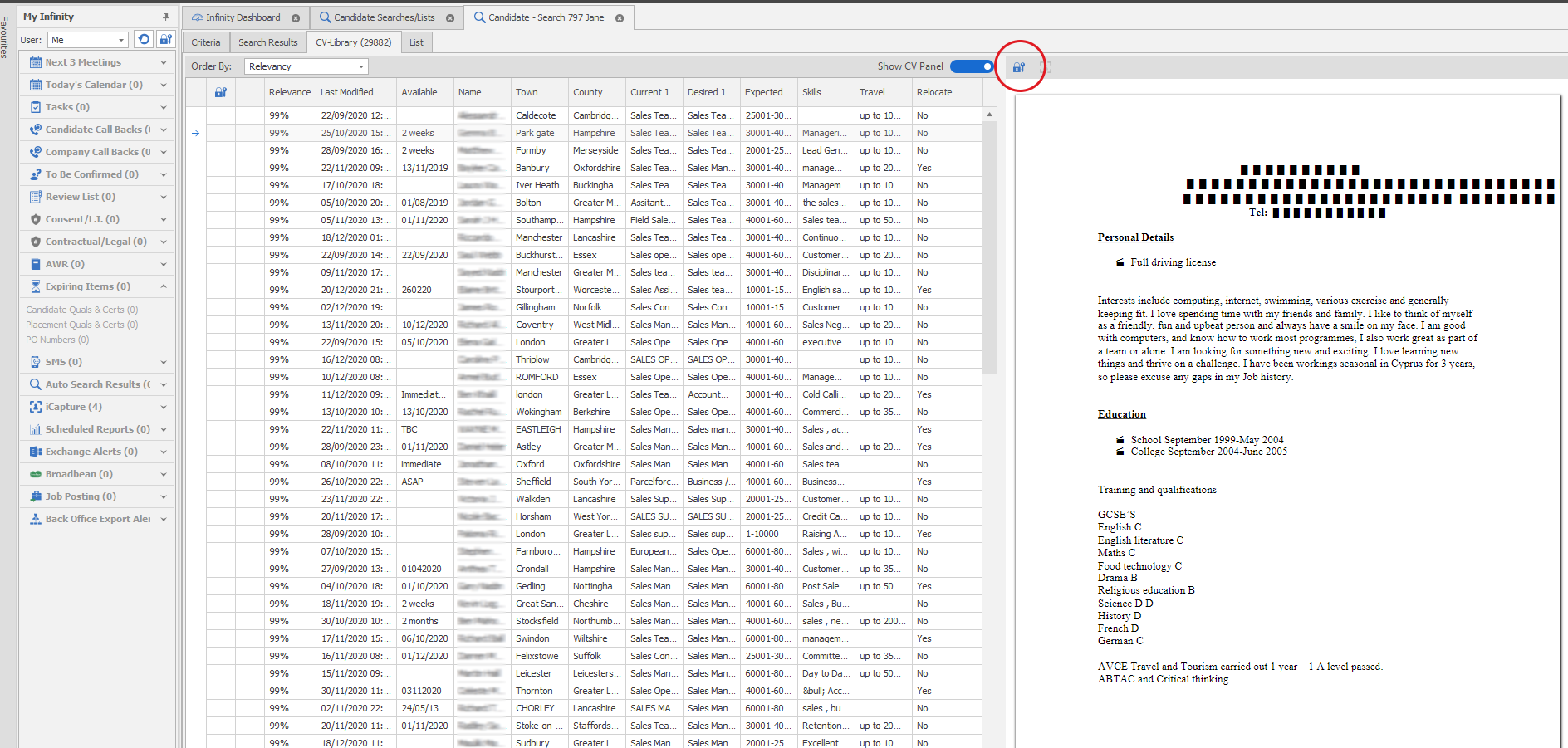
When the Infinity search is run, you will be taken to the Infinity search results. A new CV-Library tab will indicate how many results were found in CV-Library. You can see these candidates are all redacted, which means you can view the CV but their contact details and name will be hidden.
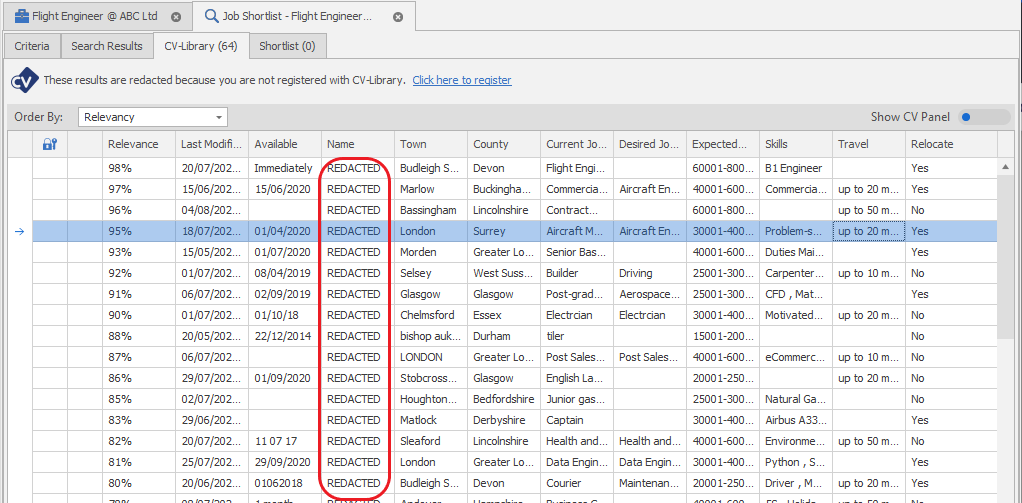
Once you’ve found a candidate that’s a great match, you will need to register with CV-Library to unlock their contact details. Simply select “Click here to register” and complete the form.

Already have an account
To start searching CV-Library candidates through your Voyager Infinity account, follow these simple instructions:
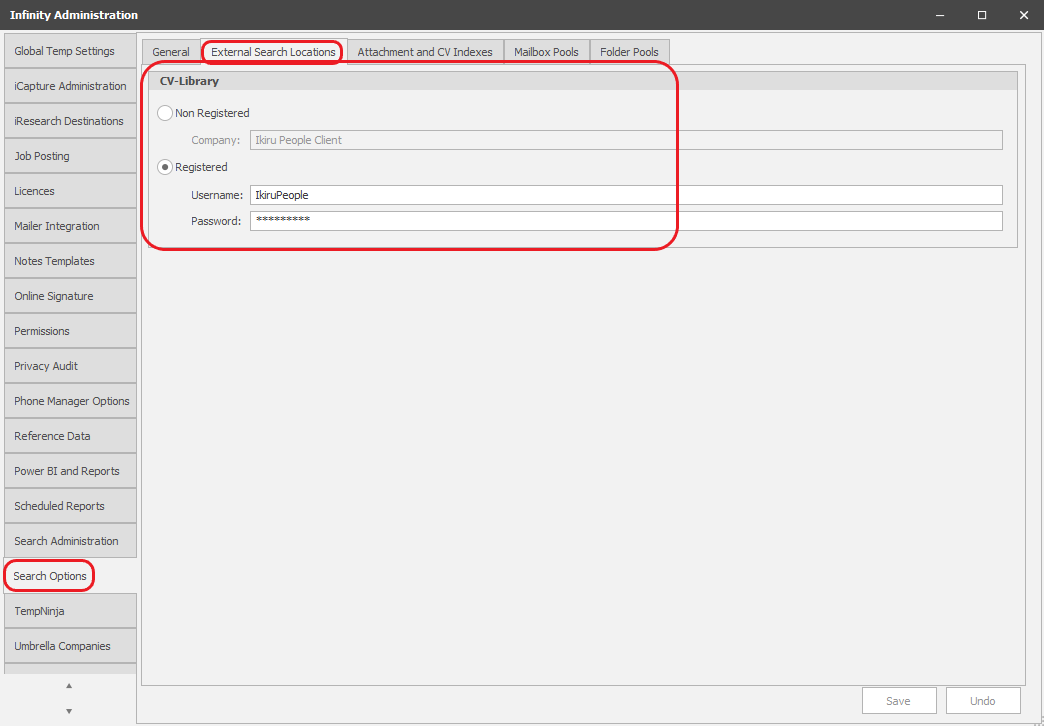
Log into Voyager Infinity, select "Search Options" and click "External Search Locations". Enter your CV-Library account username and password.
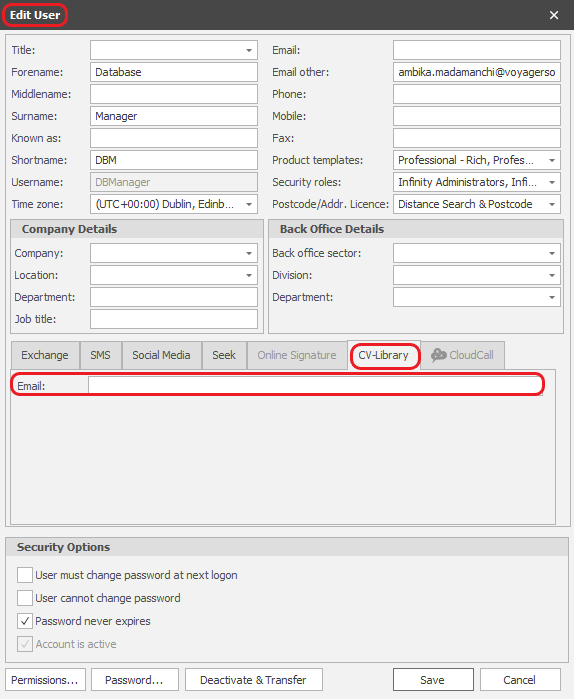
Next, you need to add your registered email address to the "CV-Library" tab of the User Administration screen.
You can now run searches and automatically see CV-Library candidates in your results. Simply run a search as normal.
When the Infinity search is run, you will be taken to the Infinity search results. A new CV-Library tab will indicate how many results were found in CV-Library. From here you can click 'Unlock' icon, which displays the candidate's name and details, and enables the 'Import into iCapture' button.
You're done!
If you experience any problems, please call our team on: 01252 810995